Free beta · For freelancers and small businesses
Chase your unpaid invoices without losing your evenings.
FindMyMoney tracks your invoices, spots late payments and writes your reminders with AI, in the tone you choose. You review, you send, you get paid.
How it works: 3 steps to chase your unpaid invoices
Add your invoices
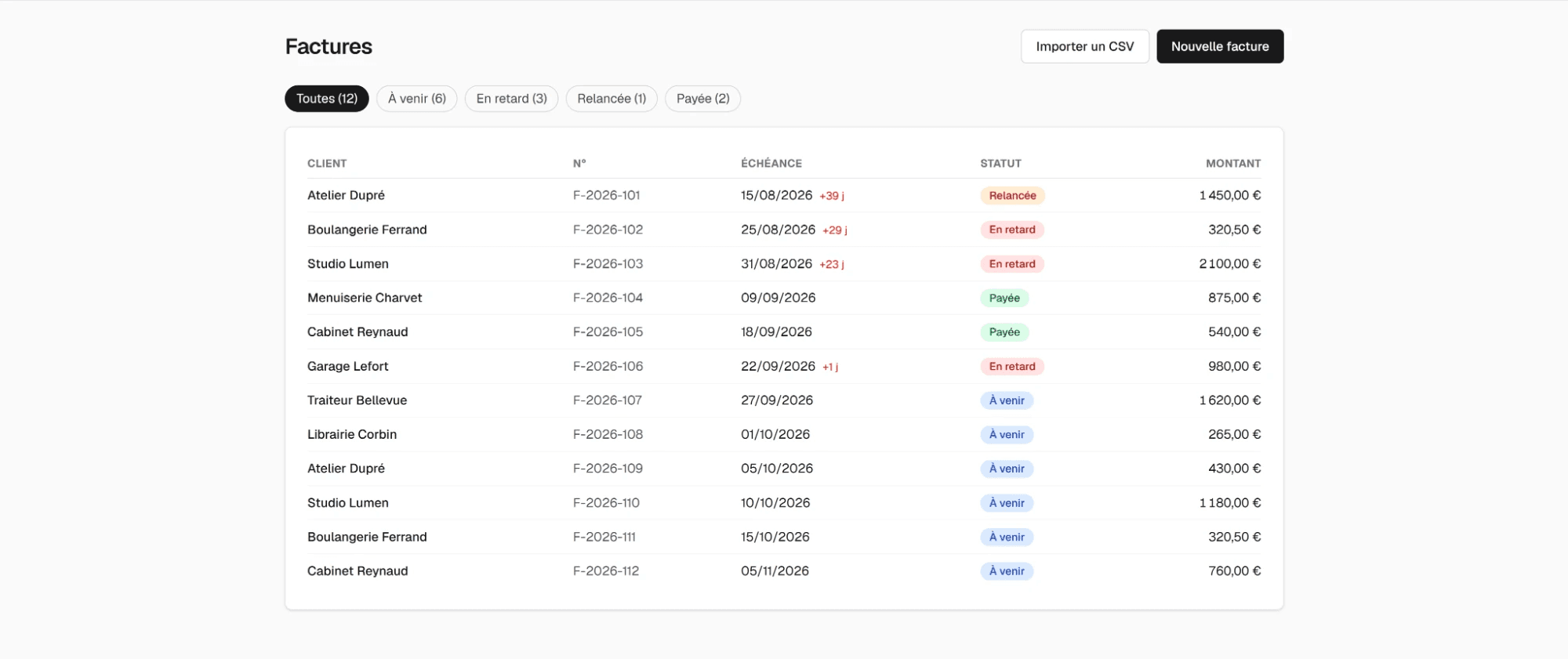
Enter an invoice in seconds, or import them all at once from a CSV file (an export from your invoicing software or a spreadsheet).
AI writes the reminder
Choose the tone: polite for a first reminder, firm when the delay drags on. The AI writes a clear, professional email that includes the amount, the invoice number and the due date.
You approve, send and track
Review and edit the message, then send it by email from the app. The dashboard sorts every invoice: upcoming, overdue, chased, paid.
Everything you need to get paid on time
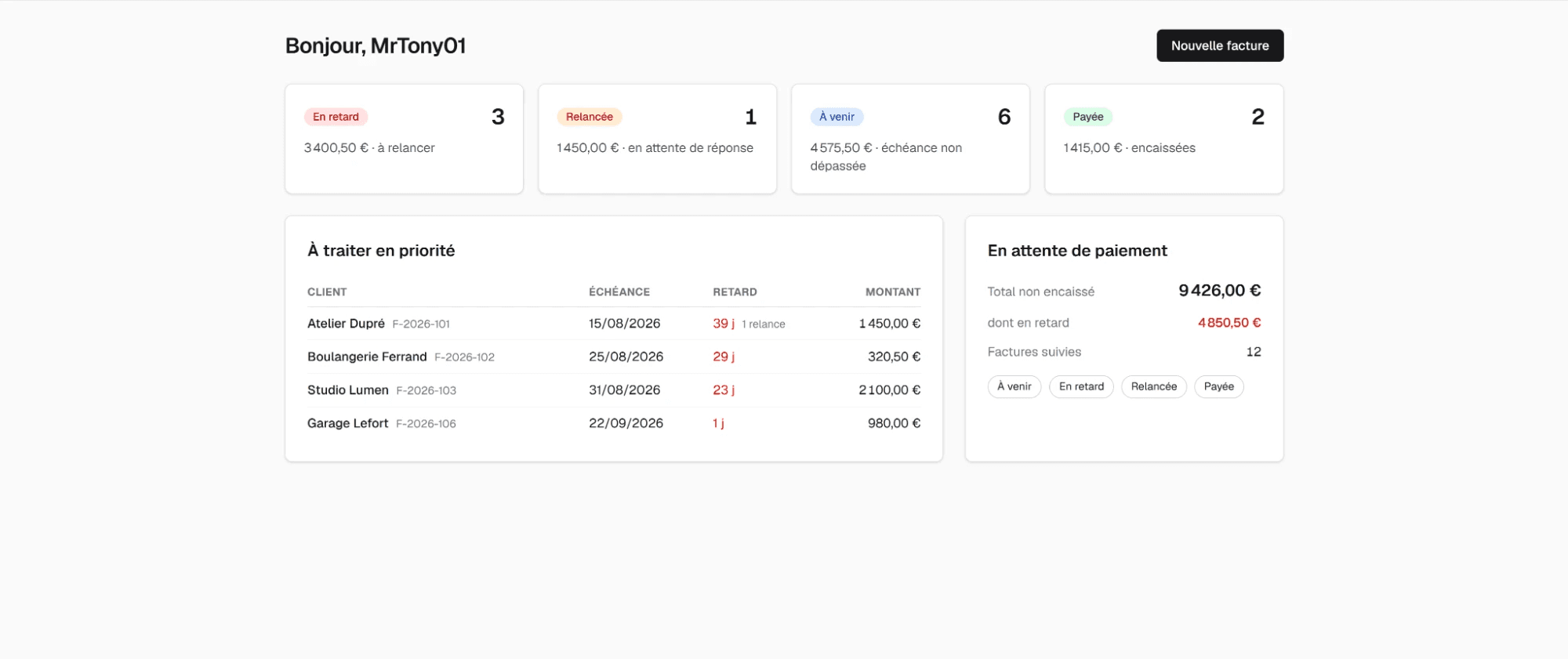
A clear view of what you're owed
Total outstanding, overdue amount, priority invoices sorted by days overdue: everything is visible at a glance on the dashboard.
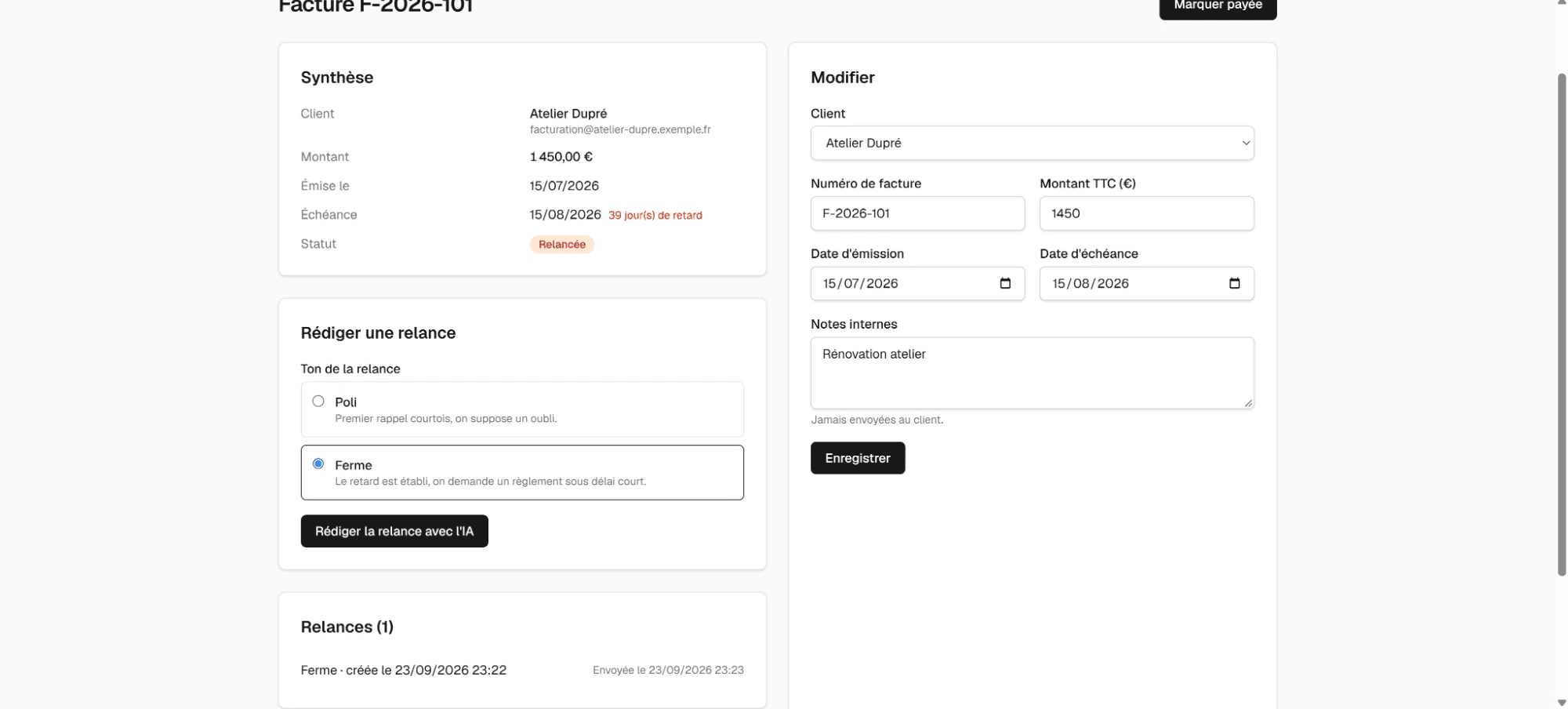
Reminders in the right tone
The AI adapts the wording to how late the payment is, from a courteous nudge to a firm reminder.
You always stay in control
No email goes out without your approval, and your clients' replies land straight in your own inbox.
CSV import
No need to change your invoicing software: import your existing invoices in one click.
Reminder history
Every reminder sent is kept, invoice by invoice, so you have a record of your exchanges.
Built for freelancers and small businesses
Simple, ready in minutes, with no complicated setup.
Frequently asked questions
- Are reminders sent automatically?
- No. You review and approve every email before it is sent.
- How much does it cost?
- Access is free during the beta.
- Do I need to change my invoicing software?
- No, you can import your existing invoices from a CSV file.
- What do I need to use the beta?
- A free Ollama API key: a built-in tutorial walks you through creating one in a few minutes.